

Modern businesses use many applications to manage customers, payments, orders, marketing, and support. These applications often need to exchange information with Salesforce as soon as something happens.
This is where Salesforce webhooks can be useful.
A webhook allows one system to send an HTTP request to another system when a specific event occurs. For example, a payment application can send a notification when a payment is completed, or an external application can send customer information to Salesforce when a new record is created.
However, Salesforce webhook integrations need to be designed carefully. The approach is different depending on whether you want to receive data in Salesforce or send event information from Salesforce.
What Is a Salesforce Webhook?
A webhook is an event-based HTTP request sent from one application to another.
Unlike traditional polling, where an application repeatedly asks whether something has changed, a webhook sends information when an event actually occurs.
A simple example is:
Payment Completed → Webhook → Salesforce → Update Customer Record
Suppose an online payment system completes a transaction. Instead of Salesforce checking the payment system every few minutes, the payment system can send an HTTP POST request containing the transaction details.
Salesforce can then process that information and take an action.
Webhooks are therefore useful for event-driven integrations where information needs to move quickly between systems.
How Do Salesforce Webhooks Work?
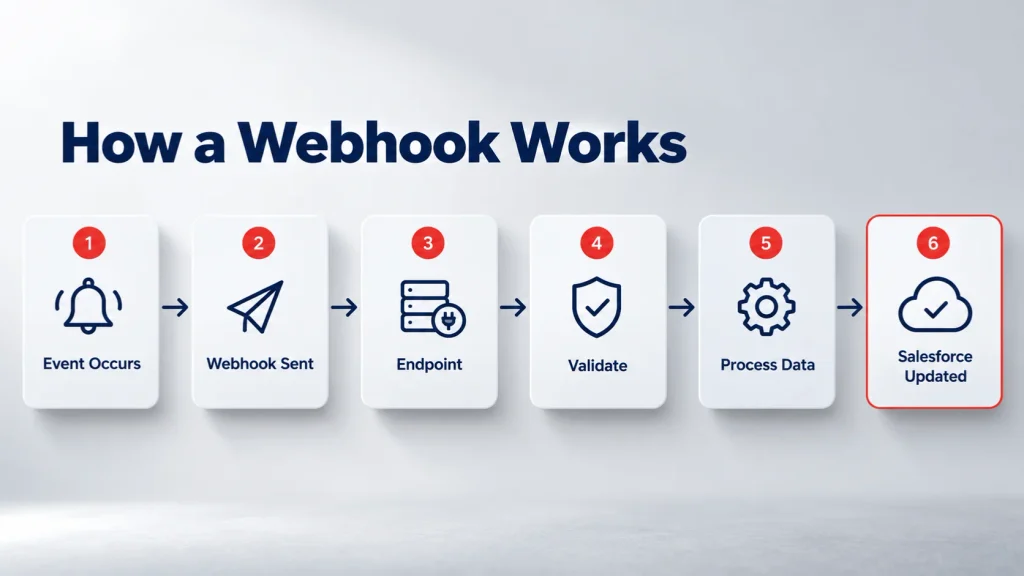
The basic process is simple:
- An event happens in an external application.
- The application creates a webhook request.
- The request is sent to an endpoint.
- Salesforce or an integration service receives the request.
- The payload is validated and processed.
- Salesforce records or automation are updated.
For example:
Shopify Order Created → Webhook → Integration Endpoint → Salesforce → Create/Update Record
The webhook normally contains structured information, often in JSON format.
Example
A payment service might send data similar to:
{
  "customer": "John Smith",
  "payment_status": "completed",
  "amount": 2500,
  "transaction_id": "TXN12345"
}
The receiving application can use this information to update the appropriate Salesforce record.
Inbound vs Outbound Salesforce Webhooks
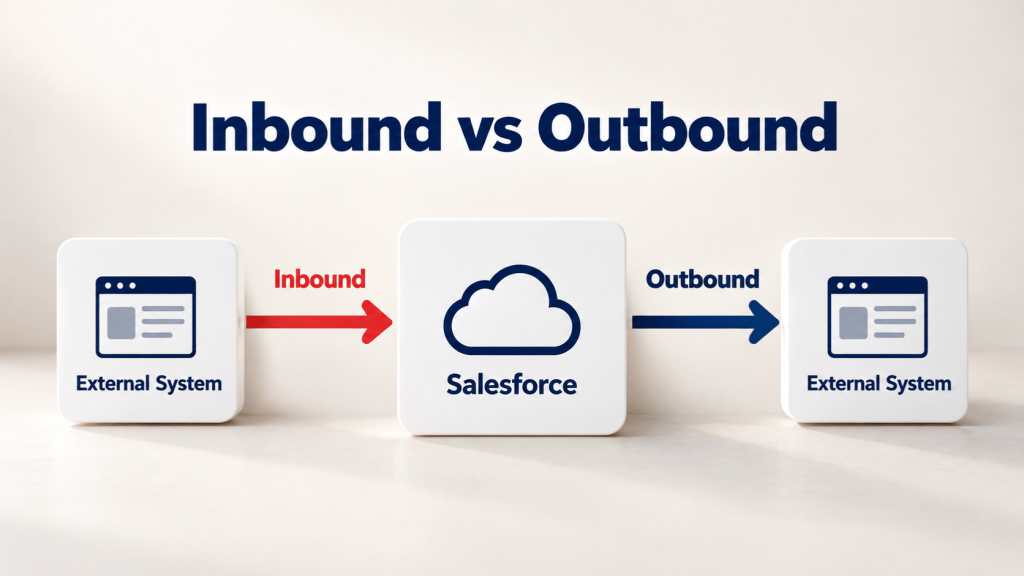
One of the most important things to understand is the direction of the data.
| Type | Data Direction | Example |
|---|---|---|
| Inbound webhook | External system → Salesforce | Payment system sends transaction |
| Outbound webhook | Salesforce → External system | Salesforce sends an event notification |
| Event-based integration | Event → Subscriber | Platform Event consumed by an external application |
Inbound Webhooks
An inbound webhook is used when an external application needs to send information into Salesforce.
Salesforce does not provide one generic, out-of-the-box inbound webhook endpoint for every external event. A common custom approach is to expose an Apex REST endpoint and process the incoming HTTP request. Salesforce Trailblazer discussions also show this pattern using an Apex REST class and a Salesforce Site/Experience Cloud endpoint. Trailhead
Outbound Webhooks
The opposite direction is when Salesforce needs to notify an external system.
Depending on the requirement, this can involve Salesforce APIs, Platform Events, Flow, Apex, or other integration mechanisms. Salesforce documentation supports publishing Platform Events through Flow, Apex, and APIs, while external applications can subscribe through Pub/Sub API. Trailhead
How to Receive a Webhook in Salesforce
If an external service needs to send data into Salesforce, a common custom architecture uses an Apex REST endpoint.
The basic flow looks like this:
External Application → HTTP POST → Apex REST Endpoint → Validate Payload → Salesforce Record → Flow/Automation
An Apex REST resource can expose a custom endpoint using annotations such as @RestResource, with an HTTP method such as @HttpPost to handle incoming requests. Salesforce Trailblazer examples demonstrate this pattern. Trailhead
After the request reaches Salesforce, the implementation can:
- Read the request body
- Validate the incoming data
- Check authentication or signatures
- Parse the JSON payload
- Find an existing Salesforce record
- Create or update records
- Trigger additional automation
For larger integrations, it can be useful to separate webhook reception from later business processing instead of putting every operation directly into the HTTP request.
Can Salesforce Flow Handle Webhooks?
Salesforce Flow can be useful after webhook data has entered Salesforce.
For example:
Webhook → Apex Endpoint → Custom Object → Record-Triggered Flow
The Apex layer can receive and parse the external request, store the important information, and then Flow can handle business automation.
A Salesforce Trailblazer discussion describes a similar approach where incoming webhook information is stored and then processed using record-triggered Flow. Trailhead
This can help keep the webhook endpoint focused on receiving and validating data while Flow handles business logic.
Salesforce Flow can also make outbound HTTP requests through HTTP Callouts. Our guide to HTTP Callouts in Salesforce Flow explains this approach in more detail. iBirds Software Services Pvt. Ltd.
When Should You Use a Middleware Platform?
You do not always need to build the entire webhook architecture directly in Salesforce.
Middleware can sit between the external application and Salesforce.
For example:
Shopify → Middleware → Salesforce
Tools such as integration platforms can receive the webhook, transform the data, apply rules, and then send the processed information to Salesforce.
This approach can be useful when:
- Multiple applications are involved
- Payload transformation is required
- Several Salesforce objects need updates
- You need centralized error handling
- You need retries and logging
- The integration team wants less custom Apex
The right architecture depends on the complexity of the integration and the amount of control required.
Salesforce Webhook Security
Security should be considered before exposing any webhook endpoint.
A public endpoint that accepts incoming requests should not simply trust every request it receives.
Important considerations include:
Authenticate the Request
Use an appropriate authentication or verification mechanism rather than accepting anonymous data without validation.
For Salesforce API access, Salesforce uses OAuth-based authorization for protected API resources. Developer
Validate the Payload
Check that the incoming data contains the expected fields and values.
For example:
- Is the transaction ID present?
- Is the amount valid?
- Is the event type expected?
- Does the customer reference exist?
Verify Webhook Signatures
Many webhook providers sign their requests so the receiving application can verify that the payload came from the expected service.
Signature verification should happen before trusting the payload.
Prevent Duplicate Processing
Webhook providers may retry requests when they do not receive a successful response.
Your Salesforce integration should therefore be designed to recognize duplicate events where necessary.
Log Errors
Keep useful logs for failed requests, invalid payloads, authentication failures, and processing errors.
This makes troubleshooting much easier.
Salesforce Webhooks vs APIs
Webhooks and APIs are related, but they work differently.
| Feature | Webhook | API |
|---|---|---|
| Communication | Event-driven | Request-driven |
| Main purpose | Notify when something happens | Request or send data |
| Direction | Usually sender → receiver | Can be two-way |
| Timing | Triggered by an event | Triggered by a request |
| Example | Payment completed notification | Get customer record |
| Polling | Usually not required | May be used by the application |
A webhook can also work together with an API.
For example, a webhook might tell Salesforce that an order changed, while an API call can then retrieve the complete order details.
Salesforce Webhook Use Cases
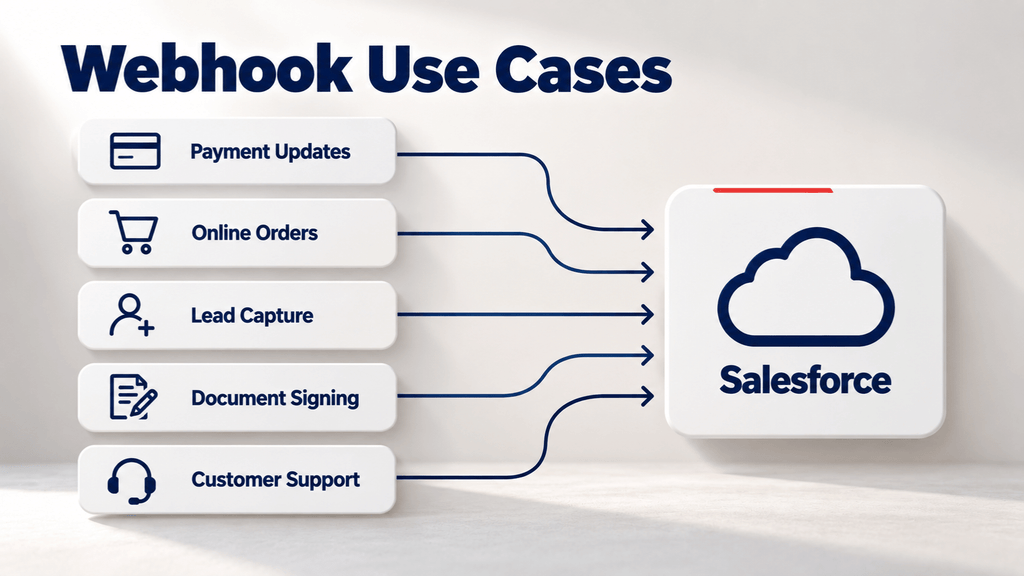
Salesforce webhooks can be useful in many integration scenarios.
Payment Updates
A payment platform can notify Salesforce when a payment succeeds or fails.
E-commerce Orders
An online store can send order information to Salesforce after a customer places an order.
Lead Capture
An external application can send new customer or lead information to Salesforce automatically.
Document Processing
A document platform can notify Salesforce when a document is signed or completed.
Customer Service
An external support application can send status changes into Salesforce.
The main idea is simple: an event happens, and the integration reacts to it.
Webhooks vs Salesforce Platform Events
Platform Events are another important Salesforce event-driven capability.
Platform Events allow Salesforce applications and external systems to publish and subscribe to event messages. External applications can use Pub/Sub API to subscribe to Salesforce events. Trailhead
The choice depends on the direction and architecture of the integration.
| Requirement | Possible Approach |
|---|---|
| External system sends data to Salesforce | Webhook + Apex/API |
| Salesforce publishes business events | Platform Events |
| External app needs Salesforce API access | REST API |
| Salesforce needs to call an external service | Flow HTTP Callout / Apex |
| Multiple systems need transformation | Middleware |
You can also read our article on Salesforce Integration to understand how different integration approaches fit into a larger Salesforce architecture.
Best Practices for Salesforce Webhooks
Before putting a webhook integration into production, keep these points in mind:
- Clearly define the direction of data.
- Validate every incoming payload.
- Use secure authentication.
- Verify webhook signatures when supported.
- Prevent duplicate event processing.
- Keep webhook processing lightweight.
- Log important errors and responses.
- Plan for failed requests and retries.
- Avoid exposing unnecessary Salesforce data.
- Test invalid and duplicate payloads.
- Monitor the integration after deployment.
For more complex integration requirements, Salesforce Integration Services can help with architecture, implementation, and ongoing integration needs.
Final Thoughts
Salesforce webhooks are useful when an integration needs to react to events instead of repeatedly checking another system for changes.
The important point is that a webhook is a communication pattern, not a complete integration strategy. For inbound data, Salesforce can use custom Apex REST endpoints or an integration layer. For outbound and event-driven requirements, Salesforce also provides capabilities such as Platform Events, APIs, Flow, and Pub/Sub API. Trailhead
Choosing the right approach depends on the data direction, security requirements, processing volume, business logic, and systems involved.
FAQs
What is a Salesforce webhook?
A Salesforce webhook is an event-based integration mechanism where an application sends an HTTP request when an event occurs. It can be used to exchange information with Salesforce or other connected systems.
Does Salesforce have native inbound webhooks?
Salesforce does not provide one generic inbound webhook endpoint for all external events. A common approach is to create an Apex REST endpoint that receives the external HTTP request and processes the payload. Trailhead
Can Salesforce Flow receive a webhook directly?
For a custom inbound webhook, an Apex REST endpoint or integration layer is commonly used to receive the request first. The received data can then be passed into Salesforce automation such as Flow. Trailhead
What is the difference between a webhook and an API?
An API usually works when an application makes a request for data or an operation. A webhook is generally triggered automatically when a particular event happens.
Are Salesforce webhooks secure?
They can be secure when authentication, request validation, signature verification, access controls, HTTPS, duplicate protection, and proper error handling are implemented.
When should I use middleware for Salesforce webhooks?
Middleware can be useful when an integration involves several applications, complex data transformation, centralized logging, retries, or routing between multiple systems.