

Salesforce Winter ’27 is bringing a major set of updates across Agentforce, AI, Flow, security, analytics, automation, Data 360, and development.
For Salesforce admins and developers, this release is not just about new features. It also introduces changes that can affect security settings, automation, custom Apex, and the way admins manage their org.
In this guide, we’ll cover the important Salesforce Winter ’27 release dates, key features, admin updates, Flow improvements, developer changes, security updates, and a practical preparation checklist.
Salesforce Winter ’27 Release at a Glance
Salesforce Winter ’27 is designed to help businesses move AI from experimentation toward measurable business impact, with updates across Agentforce, Flow, security, analytics, automation, Data 360, and development. For a complete list of features and product-specific changes, review the Salesforce Winter ’27 Release Notes.
| Area | What’s New in Winter ’27 |
|---|---|
| Release | Winter ’27 |
| Sandbox Preview | August 28, 2026 |
| Production Releases | September 4, October 2 & October 9, 2026 |
| AI | Expanded Agentforce capabilities |
| Admin | Setup with Agentforce improvements |
| Flow | Better testing, organization and bulk processing |
| Developers | Higher Apex heap limits |
| Security | Profile Filtering and permission improvements |
| Data | Continued Data 360 enhancements |
| Main Focus | AI, automation, productivity and security |
Salesforce states that Winter ’27 is designed to help businesses move AI from experimentation toward trusted and measurable business impact.
Salesforce Winter ’27 Release Dates
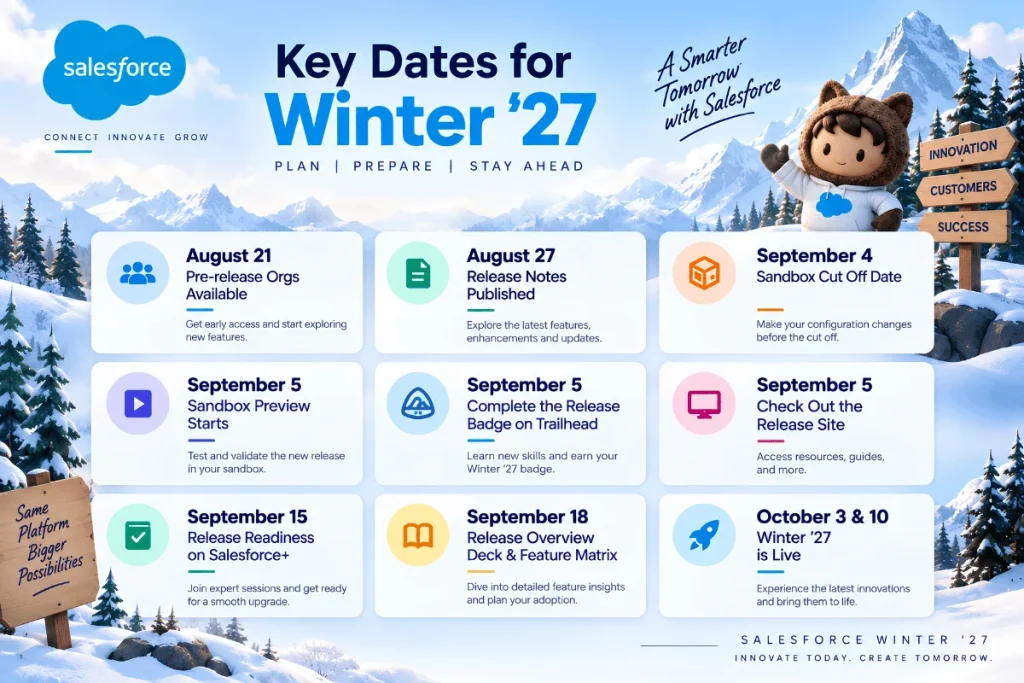
Salesforce Winter ’27 is being rolled out in multiple production waves, including September 4, October 2, and October 9, 2026. However, the exact upgrade date depends on your Salesforce instance, so admins should check Salesforce Trust Status to confirm their organization’s maintenance schedule before planning testing and deployment.
Salesforce releases are rolled out in stages, so the exact production upgrade date depends on your Salesforce instance.
Important Winter ’27 Dates
| Date | Milestone |
|---|---|
| August 13, 2026 | Pre-release Developer Edition available |
| August 19, 2026 | Winter ’27 Release Notes published |
| August 27, 2026 | Sandbox preview refresh deadline |
| August 28, 2026 | Sandbox Preview begins |
| September 4, 2026 | Production release wave |
| October 2, 2026 | Production release wave |
| October 9, 2026 | Production release wave |
Salesforce recommends checking the Trust Status maintenance calendar for the exact upgrade date of your organization.
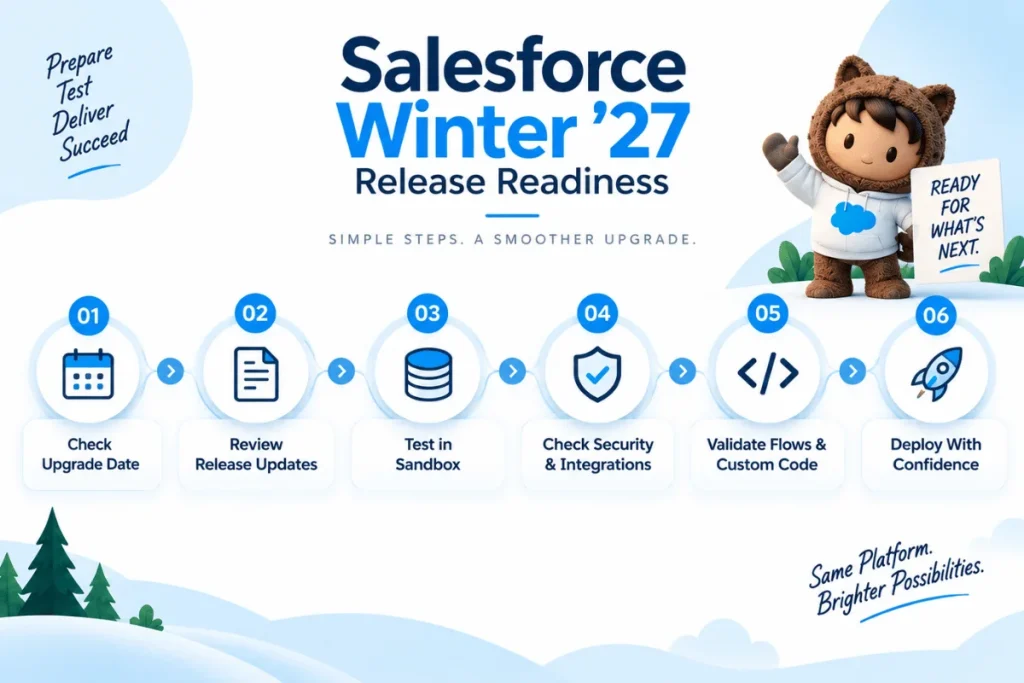
Winter ’27 Release Flow
Review Release Notes → Check Org/Instance → Test in Sandbox → Review Security & Automation → Validate Custom Code → Prepare Users → Production Upgrade
This approach helps reduce surprises after the release reaches production.
What Are the Biggest Salesforce Winter ’27 Features?
Winter ’27 has updates across almost every major Salesforce area, but some are especially important for admins and technical teams.
| Feature Area | Why It Matters |
|---|---|
| Agentforce | More AI-powered administration and business automation |
| Setup with Agentforce | Admins can use natural language for configuration tasks |
| Salesforce Flow | Easier testing, organization and multi-record processing |
| Apex | Higher heap limits for larger data processing |
| Security | Stronger controls around profiles and setup access |
| Analytics | New reporting and dashboard improvements |
| Data 360 | Continued improvements for data activation and intelligence |
1. Setup with Agentforce Gets More Powerful
One of the most interesting Winter ’27 updates for Salesforce admins is Setup with Agentforce.
Instead of navigating through multiple Setup menus, admins can use natural language to perform or investigate certain administrative tasks.
Winter ’27 adds improvements including easier access management, related list configuration, Org Health customization and read access to more Setup objects.
For example, an admin can describe what they want to configure and let Agentforce guide the process.
This can make everyday administrative work faster, particularly in large Salesforce environments.
Why admins should care
The value isn’t simply “AI can do admin work.” The bigger benefit is reducing the time spent searching through complex Setup menus and repetitive configuration tasks.
Admins should still review permissions, dependencies and the final configuration before applying changes.
2. Salesforce Flow Gets Major Improvements
Salesforce Flow continues to receive significant investment in Winter ’27.
Some of the most useful improvements include:
- Flow Tags for better organization and discovery
- Test Mode for repeatable Flow testing
- Processing multiple records with Screen Flows
- Better Flow comparison
- Unused Resources filtering
- Element grouping for cleaner Flow design
- Better validation of field length issues
- Options to enforce user permissions when a Flow runs
These changes can make large Flow environments easier to maintain and test.
If your organization depends heavily on Flow, it is worth reviewing existing automation instead of simply enabling every new capability.
You can also explore our guide on Salesforce Flow for business automation.
3. Developers Get Higher Apex Heap Limits
Winter ’27 increases Apex heap limits, which can be particularly useful for applications that process larger amounts of data.
The limits increase from:
| Transaction Type | Previous Limit | Winter ’27 Limit |
|---|---|---|
| Synchronous | 6 MB | 10 MB |
| Asynchronous | 12 MB | 25 MB |
The higher limits are automatically enabled according to the Winter ’27 release schedule.
This doesn’t mean developers should ignore Apex optimization. Poorly designed queries, excessive data processing and inefficient code can still create performance problems.
However, the increased limits provide more room for complex transactions.
For teams working extensively with Salesforce development, this is a good opportunity to review Apex-heavy processes and test them against the new limits.
4. Agentforce Continues to Expand
Agentforce is one of the central themes of Winter ’27.
Salesforce is expanding Agentforce beyond simple conversational experiences toward agents that can work across business processes and systems.
Winter ’27 includes improvements such as:
- More control over agent behavior across channels
- Dynamic messaging components
- Easier movement of agents between environments
- Agentforce Platform enabled by default for eligible organizations
- Additional Agentforce and generative AI capabilities
Salesforce says the Agentforce Platform is enabled by default for eligible orgs under the applicable licenses and editions, without changing billing.
For businesses, the important question is no longer simply “Should we use AI?”
It is:
“Which business processes should AI assist or automate, and what controls should surround them?”
If your organization is exploring this area, our Salesforce AI implementation services can be useful as a next step.
5. Security Updates Admins Should Review
Security is another important part of the Winter ’27 release.
One notable change is Profile Filtering. Salesforce is enforcing Profile Filtering in Winter ’27, limiting which profile names users can view unless they have the appropriate permission.
Winter ’27 also introduces more granular control around access to the Setup Audit Trail.
These changes support the principle of least privilege: users should receive only the access they actually need.
Admins should therefore review:
- Profile visibility
- Setup permissions
- Permission sets
- Permission Set Groups
- Connected apps
- OAuth configurations
- Existing security-related release updates
You can also review our guide to Salesforce security best practices for admins.
Important OAuth Note
One point that is easy to get wrong when researching Winter ’27 is the Salesforce username-password OAuth flow.
Current Salesforce documentation states that enforcement has been postponed to February 20, 2027, so it should not be described as a Winter ’27 enforcement date. Always verify the latest Salesforce documentation before making migration decisions.
6. Data 360 and Analytics
Data 360 continues to be an important part of Salesforce’s data and AI strategy.
Winter ’27 release information covers enhancements across:
- Data 360
- Analytics
- Reports
- Dashboards
- Data activation
- Data processing
- AI-powered business intelligence
Salesforce also notes that Data 360 features can be released more frequently than the main seasonal release, so admins should continue checking the release notes for updates.
For organizations planning Agentforce or advanced AI initiatives, data quality and governance should be treated as a foundation rather than an afterthought.
Our guide on improving Salesforce data quality can help with this area.
Salesforce Winter ’27 Admin Checklist
Before your production upgrade, use this simple checklist:
| Step | What to Check |
|---|---|
| 1 | Confirm your production upgrade date |
| 2 | Review Winter ’27 Release Notes |
| 3 | Identify features relevant to your org |
| 4 | Test important changes in Sandbox |
| 5 | Review Flows and automation |
| 6 | Test Apex and integrations |
| 7 | Review security and permissions |
| 8 | Communicate important changes to users |
| 9 | Monitor the org after production upgrade |
Salesforce itself recommends using sandboxes to test configurations before the production upgrade.
What Should Salesforce Teams Prioritize?
Not every Winter ’27 feature needs to be implemented immediately.
A practical approach is:
High Impact → Test First → Validate → Deploy
Prioritize First
- Security changes
- Critical Flow updates
- Apex-heavy processes
- Agentforce use cases
- Integrations
- Features affecting user permissions
Test Before Adoption
- New AI capabilities
- New Flow testing functionality
- New reporting capabilities
- Developer features
- Features affecting complex customizations
Monitor
- Features that are still beta
- Features with limited business relevance
- Capabilities that require additional planning or licensing
How Can Businesses Prepare for Salesforce Winter ’27?
The best preparation strategy is not to read every release note from beginning to end.
Instead:
- Identify your important Salesforce processes.
- Review release notes related to those processes.
- Test changes in a sandbox.
- Check security and automation dependencies.
- Review custom Apex, integrations and Flows.
- Train users on changes that affect their daily work.
- Monitor the production org after release.
For larger Salesforce environments, a structured Salesforce release management process can make seasonal upgrades easier to manage.
Frequently Asked Questions
1. What is the Salesforce Winter ’27 Release?
Salesforce Winter ’27 is Salesforce’s seasonal platform release containing new features and improvements across Agentforce, Flow, security, analytics, development, Data 360 and other Salesforce products.
2. When is the Salesforce Winter ’27 Release date?
Salesforce Winter ’27 is being rolled out in multiple production waves, including September 4, October 2 and October 9, 2026. Your exact date depends on your Salesforce instance.
3. When does Salesforce Winter ’27 Sandbox Preview start?
The Winter ’27 Sandbox Preview begins August 28, 2026. Salesforce recommends completing the required sandbox refresh before the August 27 cutoff if you want the preview release.
4. What are the major Salesforce Winter ’27 features?
Major areas include Agentforce, Setup with Agentforce, Salesforce Flow, security improvements, analytics, Data 360 and higher Apex heap limits.
5. Does Winter ’27 increase Apex heap limits?
Yes. The synchronous Apex heap limit increases from 6 MB to 10 MB, while the asynchronous limit increases from 12 MB to 25 MB.
6. Should Salesforce admins test Winter ’27 before production?
Yes. Testing important Flows, Apex, integrations, permissions and customizations in a sandbox is strongly recommended before the production upgrade.
Final Thoughts
The Salesforce Winter ’27 Release is strongly focused on AI, Agentforce, automation, security and developer productivity.
For admins, Setup with Agentforce, Flow improvements and security updates deserve particular attention. Developers should review the increased Apex heap limits and test custom applications against the new release.
Most importantly, don’t treat the release as something that only needs attention on the production upgrade date. Review the changes early, test them in a sandbox and prioritize the features that actually support your business.
If your Salesforce environment requires help with release preparation, automation, integrations, security or implementation, Salesforce consulting services can help you plan and manage the transition.