

Best Salesforce Security Practices for Admins in 2026
Protecting a Salesforce organization from cyber threats has become one of the most important responsibilities for every Salesforce Admin. As businesses continue to store sensitive customer, financial, and operational data in Salesforce, cybercriminals are increasingly targeting CRM platforms through compromised user accounts, phishing attacks, insecure integrations, and excessive user permissions. A single security incident can expose confidential business information, interrupt daily operations, and result in significant financial and reputational damage.
While Salesforce provides a wide range of built-in security features, simply enabling them does not guarantee complete protection. Many organizations overlook configuration gaps, permission management, identity controls, and ongoing security monitoring, leaving their Salesforce environments exposed to unnecessary risks. Building a secure Salesforce org requires continuous attention, regular security reviews, and a clear understanding of potential vulnerabilities.
This guide highlights practical Salesforce security best practices recommended by cybersecurity professionals to help Salesforce Admins strengthen data protection, reduce security risks, and improve overall CRM security. With experienced Salesforce Consulting Services, businesses can implement secure configurations, optimize user access, and build a Salesforce environment that supports long-term security and compliance.
Cybersecurity Experts’ Top Priorities
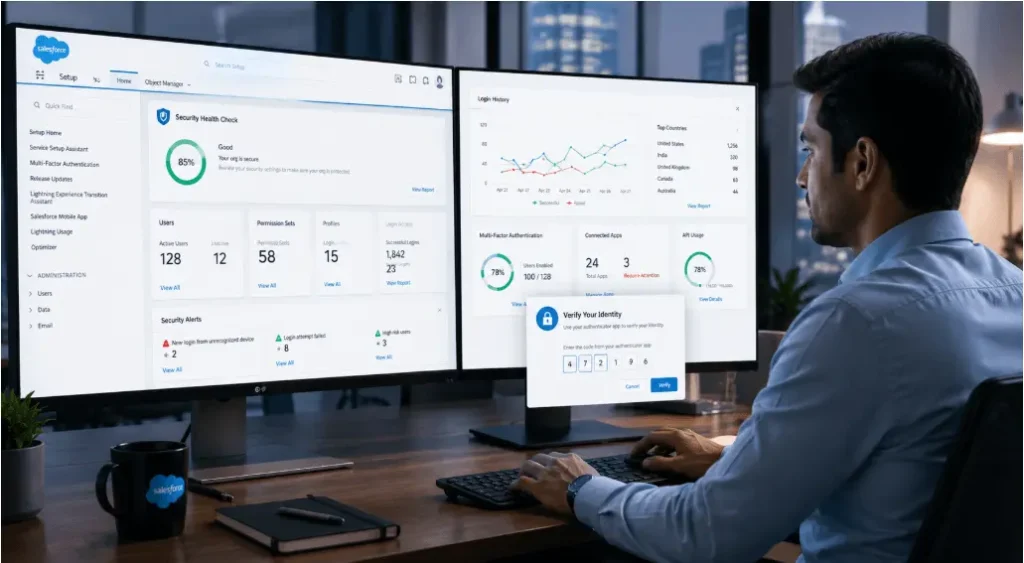
Building a secure Salesforce environment requires more than technical knowledge of the platform. Salesforce Admins should also understand common cybersecurity risks, emerging attack methods, and security best practices used across modern enterprise systems. Regular security awareness and collaboration with cybersecurity professionals can help admins identify vulnerabilities before they become serious business risks.
What Security Features Are Most Commonly Overlooked by Salesforce Admins?
Cybersecurity specialists consistently point to security hygiene as one of the most overlooked areas in Salesforce. Basic security controls such as user permissions, identity management, and secure third-party integrations are often not reviewed regularly. As organizations grow, users may accumulate unnecessary permissions, increasing the risk of unauthorized access to sensitive business data.
Strong identity controls, including Multi-Factor Authentication (MFA), Single Sign-On (SSO), and well-managed login policies, should be part of every Salesforce security strategy. Organizations should also evaluate every connected application and integration to ensure it follows accepted security standards and only accesses the data required for its intended purpose.
Another critical concern is insider risk. Not every security incident comes from external attackers. Employees or users with excessive access privileges may accidentally expose sensitive information or intentionally misuse customer data. Businesses should continuously monitor user activities, identify unusual behavior, and limit data access based on job responsibilities.
Salesforce Admins should also review who has permission to view, export, modify, or download business data. Granting users only the access they need helps reduce security risks and protects confidential information from unauthorized use. Working with experienced Salesforce Security Assessment Services enables organizations to evaluate user permissions, strengthen security controls, and identify configuration gaps before they become potential vulnerabilities.
Which Salesforce Security Features Are Frequently Overlooked?
One of the most common security gaps in Salesforce is user permission management. As organizations grow, users, integrations, and third-party applications often receive broader access than necessary. Without regular reviews, these permissions can increase the risk of unauthorized access to sensitive customer and business data.
Salesforce Admins should define access based on user roles and business responsibilities. Applying record-level security, field-level security, permission sets, and sharing rules helps ensure users can access only the information required to perform their jobs. Regular permission audits also help identify inactive users, unnecessary privileges, and outdated access rights before they become security risks.
What Can Salesforce Admins Do to Improve Salesforce Security?
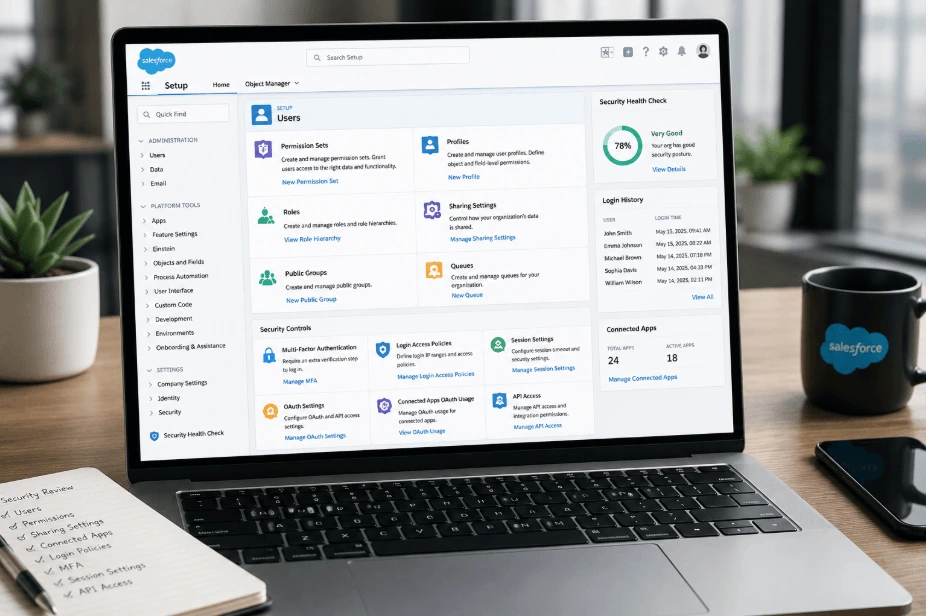
One of the most effective cybersecurity principles is the Principle of Least Privilege (PoLP). This approach recommends that every user, integration, and connected application should receive only the minimum level of access required to complete specific tasks. Access should never be granted by default or remain active longer than necessary.
In practical terms, organizations should create dedicated integration users for each connected application, assign object-level permissions carefully, configure secure connected apps, and review API access regularly. Sensitive permissions such as Modify All Data, API Enabled, Manage Users, and Export Reports should only be assigned to trusted users after proper security evaluation. Organizations should also implement session controls, token management, and periodic access reviews to strengthen overall security. By using Salesforce Heroku Platform Services, businesses can continuously monitor user access, maintain secure configurations, and ensure Salesforce security policies remain effective as the organization grows.
“The Principle of Least Privilege is not a one-time setup. It should guide every access and permission decision within your Salesforce environment.”
What Can Salesforce Admins Learn From Recent Salesforce Data Breaches?
Recent Salesforce-related security incidents have shown that attackers do not always rely on sophisticated hacking techniques. In many cases, they target human behavior by creating fake software downloads, phishing websites, or misleading login pages that appear legitimate. When an administrator unknowingly installs an untrusted application or authorizes a malicious OAuth connection, attackers may gain access to Salesforce data without exploiting the platform itself.
Salesforce Admins should verify the authenticity of every application, browser extension, integration, and download before granting access to their Salesforce environment. Connected Apps, API integrations, OAuth permissions, and third-party tools should be reviewed regularly to ensure they come from trusted sources and only request the permissions required for their intended function.
User awareness is equally important. Admins and business users should receive regular cybersecurity training to recognize phishing attempts, suspicious login requests, fake software installers, and social engineering attacks. Combining security awareness with strong authentication, access controls, and continuous monitoring helps reduce the risk of unauthorized access to sensitive Salesforce data.
Organizations can further strengthen their CRM security by using Salesforce Integration Services to implement secure integrations, monitor connected applications, and maintain controlled data exchange between Salesforce and external business systems.
Key Takeaways
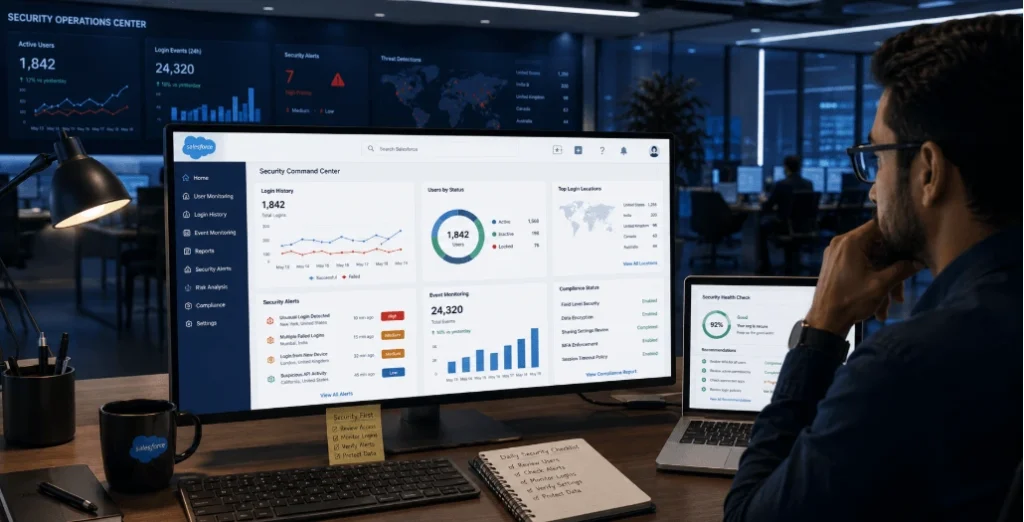
Salesforce security is built on consistent access management, regular monitoring, and well-defined security policies. One of the most effective practices is applying the Principle of Least Privilege (PoLP), which ensures that users receive only the permissions required for their specific roles. Instead of granting broad access across the Salesforce org, administrators should carefully configure Profiles, Permission Sets, Sharing Rules, and Field-Level Security based on business responsibilities.
For example, a sales representative may require access to Leads, Opportunities, and Accounts assigned to them, but they may not need permission to modify system settings, export reports, manage users, or access confidential service records. Regularly reviewing user permissions helps eliminate unnecessary access and reduces the risk of accidental or unauthorized data exposure.
Salesforce security should also be treated as an ongoing process rather than a one-time configuration. As organizations add new users, install applications, create integrations, or expand business operations, the security posture should be reviewed continuously. Periodic security audits, login monitoring, permission reviews, and policy updates help organizations respond to evolving cybersecurity threats before they affect business operations. Working with experienced Salesforce Support Services providers can simplify ongoing security monitoring and ensure Salesforce environments remain secure as business requirements change.
Final Thoughts
Building a secure Salesforce environment may seem challenging at first, but following proven security best practices makes the process much more manageable. By combining strong identity management, user access controls, secure integrations, continuous monitoring, and regular security reviews, organizations can significantly reduce cybersecurity risks while protecting valuable business and customer data.
Salesforce security is not only about technology—it also depends on user awareness, governance, and continuous improvement. Organizations that make security part of their daily Salesforce administration are better prepared to prevent unauthorized access, maintain regulatory compliance, and protect sensitive information over the long term.
Further Resources
To continue improving your Salesforce security knowledge, consider reviewing these related topics:
- How to Secure Your Salesforce Org Step by Step
- Salesforce Data Protection Best Practices
- Common Salesforce Security Mistakes and How to Avoid Them
- Salesforce User Permission and Access Management Guide
- Salesforce Security Audit Checklist for Admins
FAQs
1. What are the best Salesforce security practices for admins?
The best Salesforce security practices include enabling Multi-Factor Authentication (MFA), applying the Principle of Least Privilege, reviewing user permissions regularly, securing connected apps, monitoring login activity, and conducting periodic security audits. These practices help protect sensitive Salesforce data from unauthorized access.
2. Why is Salesforce security important for businesses?
Salesforce stores valuable customer, financial, and operational information. Strong Salesforce security protects this data from cyberattacks, insider threats, unauthorized access, and compliance risks while helping organizations maintain customer trust.
3. What is the Principle of Least Privilege (PoLP) in Salesforce?
The Principle of Least Privilege means giving users only the permissions they need to perform their specific job responsibilities. Limiting unnecessary access reduces security risks and prevents accidental or unauthorized changes to Salesforce data.
4. Which Salesforce security features are commonly overlooked?
Many organizations overlook user permission reviews, Field-Level Security, Record-Level Security, Sharing Rules, Connected App security, API access controls, Multi-Factor Authentication (MFA), and Single Sign-On (SSO). Regular reviews of these settings improve overall Salesforce security.
5. How can Salesforce Admins protect their Salesforce org from cyber threats?
Admins should enable MFA, review Profiles and Permission Sets, monitor login history, secure API integrations, verify third-party applications, educate users about phishing attacks, and perform regular Salesforce security assessments.
6. How do connected apps affect Salesforce security?
Connected apps can improve business processes, but they also introduce security risks if they receive excessive permissions. Every connected app should be reviewed regularly to ensure it follows security best practices and accesses only the required Salesforce data.
7. What are the biggest security risks in Salesforce?
Common Salesforce security risks include excessive user permissions, phishing attacks, insecure third-party integrations, weak passwords, unauthorized API access, outdated connected apps, and users exporting sensitive business data without proper controls.
8. How often should Salesforce user permissions be reviewed?
Organizations should review user permissions whenever employees change roles, leave the company, or receive new responsibilities. In addition, a complete permission audit should be performed regularly to remove unnecessary access and strengthen Salesforce security.
9. What is the role of Multi-Factor Authentication (MFA) in Salesforce security?
Multi-Factor Authentication adds an extra layer of protection by requiring users to verify their identity using an additional authentication method. MFA helps prevent unauthorized account access even if login credentials are compromised.
10. How can iBirds Services help improve Salesforce security?
iBirds Services helps organizations strengthen Salesforce security through security assessments, permission optimization, secure integrations, managed services, user access management, and ongoing Salesforce support. These services help businesses protect sensitive data while maintaining a secure and compliant Salesforce environment.