

Imagine deploying a new Salesforce release where every validation passes, but an integration unexpectedly updates thousands of customer records instead of a few hundred. The deployment finishes successfully, yet your team later finds missing, incorrect, or overwritten business data. Situations like this can interrupt operations, delay projects, and affect customer trust.
These issues are more common than many Salesforce teams expect. Even experienced administrators and developers can face unexpected deployment problems during a production release. While following a structured Salesforce Release Management process reduces risk, no deployment is completely free from human error or automation failures.
Many organizations depend on rollback features in their Salesforce DevOps process to recover from deployment issues. Rollbacks are effective for restoring metadata such as Apex classes, Flows, Lightning pages, validation rules, and configuration changes. However, they cannot recover business data that has already been updated, deleted, or overwritten during deployment.
This is why a secure Salesforce release management strategy should include reliable data backups before every production deployment. Backups are no longer just a recovery option after a disaster. They have become an important part of every successful release process, helping teams protect customer data, reduce deployment risks, and maintain business continuity.
Salesforce Consulting Services
Why Rollbacks Alone Cannot Protect Your Salesforce Data
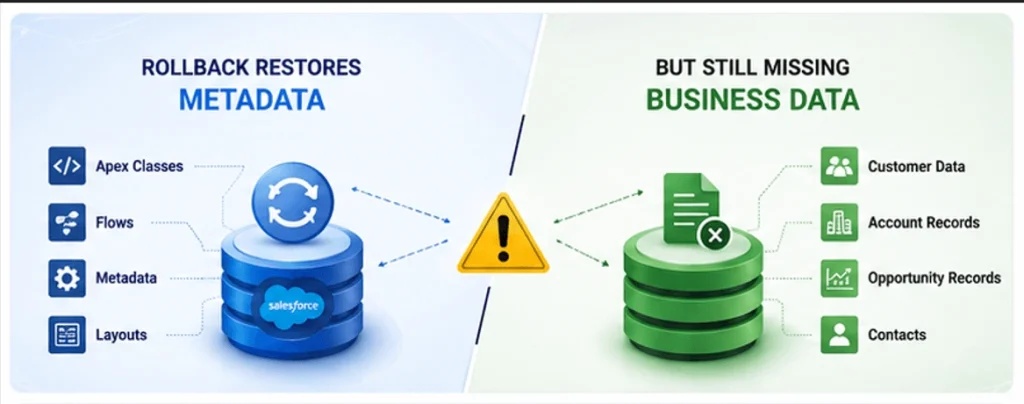
Many teams believe that a rollback is enough to recover from a failed deployment. While rollbacks play an important role in Salesforce Release Management, they only restore metadata to its previous state. This includes components such as Apex classes, Flows, Lightning pages, validation rules, custom objects, and other configuration changes.
A rollback is valuable because it helps reverse deployment changes and keeps your Salesforce environment stable. However, it cannot restore business data that has already been modified during the release process.
For example, if a deployment script accidentally updates thousands of Account records, deletes important Opportunities, or an automation changes customer information incorrectly, rolling back the deployment will not recover those records. Your metadata may return to a healthy state, but the business data remains affected.
This is why every secure Salesforce deployment strategy should include a point-in-time backup before production releases. A reliable backup allows teams to restore both metadata and business data, making recovery faster and reducing the impact of deployment errors. Instead of acting only as a disaster recovery measure, backups become an essential part of a successful Salesforce DevOps process.
What Is the Business Impact of Data Loss?
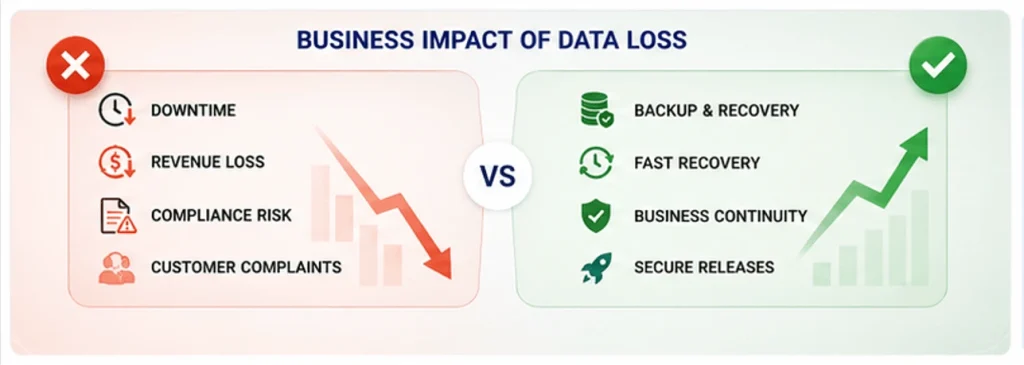
Data loss affects much more than technical operations. It can interrupt daily business activities, reduce customer confidence, delay sales processes, and increase operational costs. Organizations may also face regulatory challenges if important business records cannot be recovered or retained according to compliance requirements such as GDPR or CCPA.
Including automated backups in your Salesforce Release Management workflow is a simple step that helps reduce deployment risks. It protects valuable customer data, supports business continuity, and gives release teams greater confidence when moving changes into production.
Salesforce Development Services
Building Backups Into CI/CD
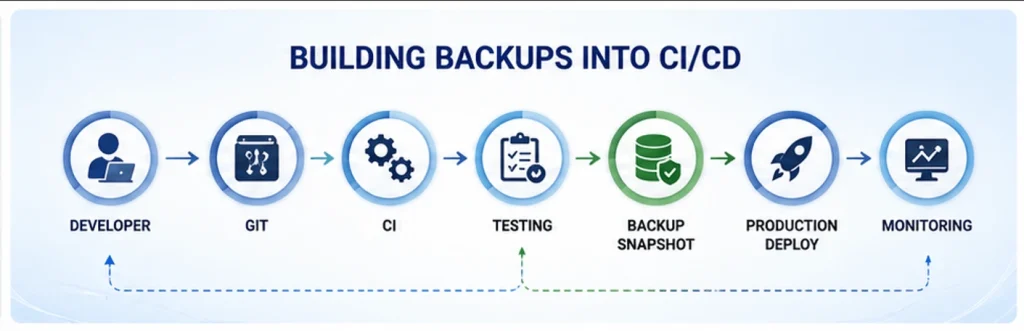
A reliable Salesforce Release Management process should include backups as a standard part of every deployment. Instead of treating backups as an emergency solution, they should become a regular step in your Salesforce CI/CD pipeline. This approach helps teams recover quickly if unexpected issues occur during production deployments.
Before moving changes to production, create a complete snapshot of both your Salesforce metadata and business data. In environments where records change frequently, scheduling backups of important objects between releases also helps maintain data integrity and reduces recovery time if an issue arises.
A practical Salesforce deployment process usually includes these backup checkpoints:
- Before deployment: Create a complete backup of metadata and business data to establish a reliable restore point before releasing new changes.
- After deployment: Take another backup to compare the latest production state with the previous snapshot and verify deployment results.
- In sandbox environments: Protect UAT and Full Copy Sandboxes with regular backups so testing issues or deployment failures do not delay project timelines or affect release quality.
By integrating backups directly into your deployment workflow, teams can improve release confidence without adding unnecessary complexity. A structured backup strategy supports faster recovery, protects business-critical information, and strengthens every stage of the Salesforce DevOps lifecycle.
Avoiding Common Data Loss Pitfalls
Even organizations with an established Salesforce Release Management process can experience data loss if backup practices are incomplete. Reviewing your deployment strategy regularly helps identify weaknesses before they become production issues.
Some of the most common mistakes include:
- Depending on weekly manual exports: Weekly exports often leave large gaps between backups and are rarely validated through recovery testing, making them unreliable during production incidents.
- Backing up only metadata: Rollbacks already restore metadata changes. If your backup strategy does not include business data, critical customer records may still be lost after deployment.
- Skipping restore testing: A backup is valuable only if it can be restored successfully within your required Recovery Time Objective (RTO). Regular restore testing ensures your recovery plan works when needed.
- Ignoring backup security: Backup files should always be encrypted and protected with proper access controls. Weak security practices increase compliance and data privacy risks, especially for organizations handling sensitive customer information.
A strong backup strategy is not only about creating copies of your Salesforce environment. It also focuses on testing recovery, protecting business data, and ensuring every deployment follows a secure and repeatable process.
Salesforce Integration Services
A Realistic Recovery Scenario
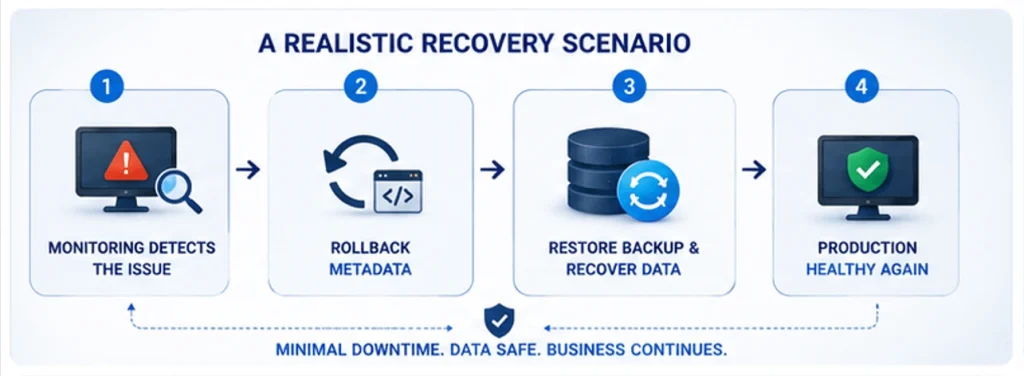
Imagine the same deployment issue mentioned earlier. An integration that was expected to update only a few hundred records unexpectedly modifies thousands of customer records in your production environment. Without a proper recovery plan, this situation can quickly affect business operations and customer trust.
A well-prepared Salesforce Release Management process helps teams respond in a structured way instead of reacting under pressure.
Step 1: Your monitoring solution detects unusual record updates immediately after the deployment and alerts the release team.
Step 2: The deployment pipeline is paused, and the metadata changes are rolled back to stop any additional impact on the Salesforce environment.
Step 3: The team restores the affected records using the point-in-time backup created before the production deployment. This brings the business data back to its original state while preserving system stability.
Step 4: Once both metadata and customer data are synchronized, the release team validates the environment and resumes normal business operations with minimal downtime.
When backups are integrated into the Salesforce DevOps process, recovery becomes faster, more predictable, and far less disruptive. Teams spend less time fixing data issues manually and more time delivering reliable Salesforce releases.
What Should You Do Next?
Every Salesforce team should review one important question before the next production deployment:
How are backups included in your Salesforce Release Management process?
If your current approach depends only on manual exports or metadata rollbacks, it is time to strengthen your deployment strategy. A reliable release pipeline should protect both your configuration and your business data.
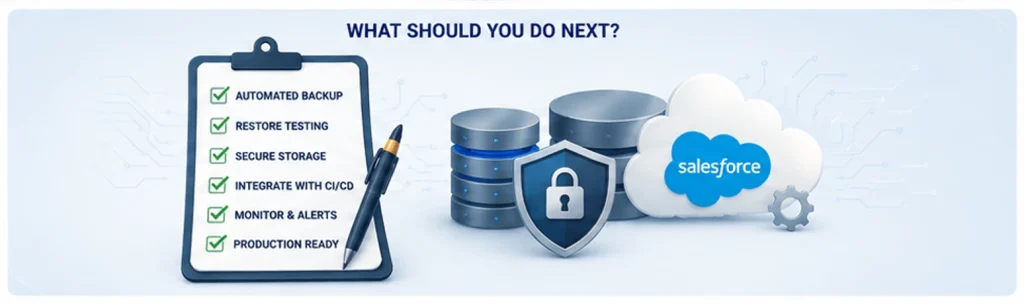
Use the following checklist to evaluate your current process:
- Are backups created automatically before every production deployment?
- Are backup and restore procedures tested on a regular schedule?
- Can your team recover both metadata and business data within the required Recovery Time Objective (RTO)?
- Are backup files encrypted, properly governed, and accessible only to authorized users?
- Does your deployment process include pre-release validation and post-release verification?
You do not need to redesign your entire release pipeline in one phase. Begin with automated pre-deployment backups, perform restore testing in a sandbox environment, and align your backup schedule with your sprint or release cycle. These practical improvements strengthen your Salesforce deployment strategy, reduce deployment risks, and build long-term confidence in every production release.
Backup Isn’t Just A Safety Net
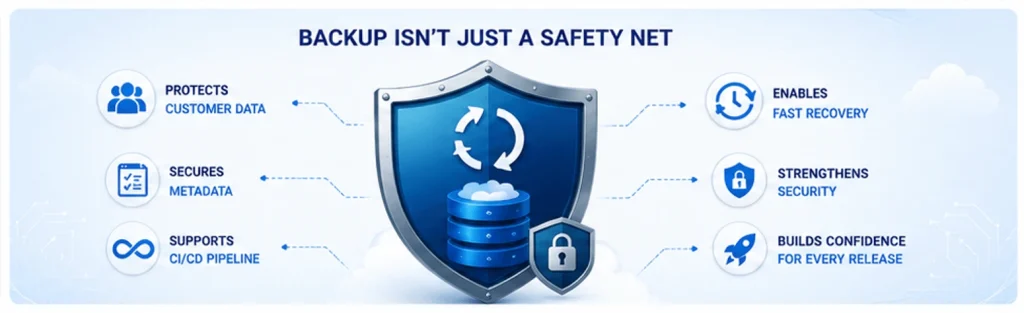
A strong backup strategy does much more than protect your Salesforce data during unexpected incidents. It gives teams the confidence to deploy new features, improve existing processes, and manage releases with greater reliability. When your Salesforce Release Management process includes automated backups and tested recovery plans, deployments become faster because your team knows they can restore both metadata and business data if something goes wrong.
Protecting every stage of your deployment pipeline—from UAT and sandbox environments to production—helps reduce deployment risks and supports smoother releases. Instead of spending valuable time manually correcting data issues after a failed deployment, your team can focus on delivering business value, improving system performance, and maintaining a stable Salesforce environment.
Backups are no longer just a disaster recovery measure—they are a core component of modern Salesforce DevOps and secure Salesforce deployment practices. The earlier your organization makes backups part of its release strategy, the better prepared it will be to protect customer data, minimize downtime, and maintain a reliable Salesforce org as your business continues to grow.
Salesforce Data Migration Services
FAQs
1. What is Salesforce Release Management?
Salesforce Release Management is the process of planning, testing, deploying, and monitoring changes in a Salesforce environment. It helps teams deliver new features and updates while reducing deployment risks and maintaining system stability.
2. Why are rollbacks not enough during a Salesforce deployment?
Rollbacks restore Salesforce metadata such as Apex classes, Flows, and configuration changes. However, they cannot recover business data that has been deleted, updated, or overwritten. This is why backups are essential for complete recovery.
3. Why should backups be part of a Salesforce DevOps strategy?
Backups protect both metadata and business data before deployments. They allow teams to restore affected records quickly, reduce downtime, and improve the overall reliability of the Salesforce release process.
4. What should be backed up before a Salesforce production release?
Before every production deployment, organizations should back up Salesforce metadata, customer records, custom objects, files, attachments, and other business-critical data to ensure a reliable recovery point.
5. How often should Salesforce backups be performed?
The backup schedule depends on business requirements and data changes. Most organizations perform automated daily backups, while production deployments should always include a point-in-time backup before release.
6. What is the difference between Salesforce backup and rollback?
A rollback restores metadata changes made during a deployment, while a backup restores both metadata and business data. Using both together provides a more secure Salesforce deployment strategy.
7. How can businesses improve Salesforce Release Management?
Businesses can improve Salesforce Release Management by using automated CI/CD pipelines, creating pre-deployment backups, testing restore procedures regularly, monitoring deployments, and following Salesforce deployment best practices.
8. Why is backup testing important in Salesforce?
A backup is only useful if it can be restored successfully. Regular restore testing helps verify recovery time objectives (RTO), confirms data integrity, and ensures the organization is prepared for unexpected deployment failures.