

Salesforce stores important business information, including customer records, sales opportunities, service cases, files, and business configurations. Losing this information can interrupt daily operations, affect customer relationships, and create problems for different teams.
Data loss does not always happen because of a major system failure. An accidental record deletion, incorrect Data Loader update, integration issue, or faulty automation can also damage important Salesforce information.
This is why every organization needs a reliable Salesforce data backup and recovery strategy. Regular backups help businesses keep copies of important information and restore the required records when something goes wrong.
In this guide, we will explain Salesforce backup options, data and metadata protection, popular backup tools, and practical ways to create a reliable recovery plan.
What Is Salesforce Data Backup and Recovery?
Salesforce data backup is the process of creating secure copies of information stored in a Salesforce organization. These copies can help businesses recover records if they are accidentally deleted, modified, or corrupted.
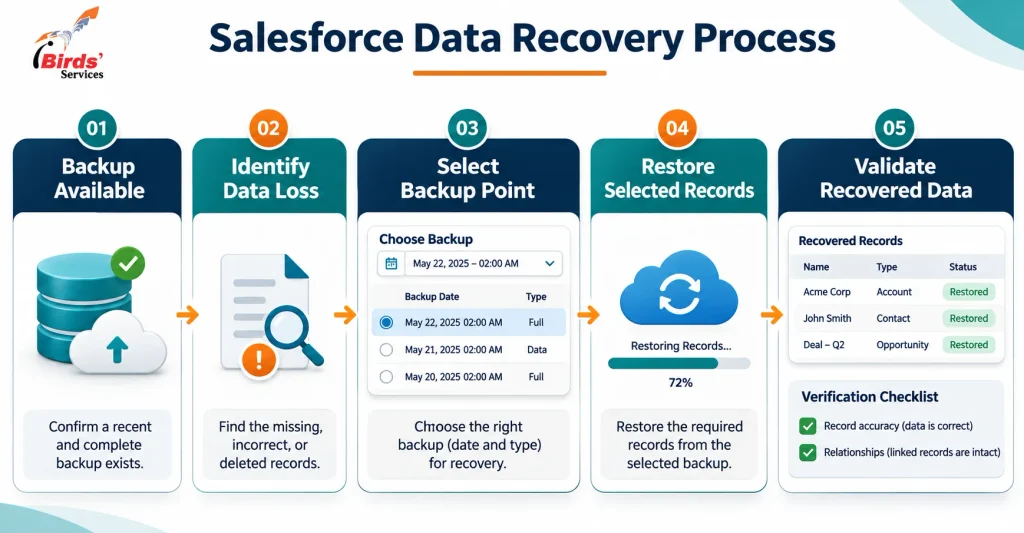
Recovery is the process of restoring the required information from a backup to bring the Salesforce environment back to a usable state.
A complete backup strategy should consider two important areas:
1. Salesforce Data Backup
Data includes the business records stored in Salesforce, such as:
- Accounts and Contacts
- Leads and Opportunities
- Cases and Activities
- Custom object records
- Files and attachments
- Other important business records
2. Salesforce Metadata Backup
Metadata includes the configuration and customization of your Salesforce organization, such as:
- Custom objects and fields
- Page layouts and record types
- Validation rules and workflows
- Salesforce Flows and Apex code
- Reports and dashboards
- Other configuration components
Both are important. A business may have all its customer records but still face problems if important custom fields, automation, or configuration settings are lost. You can learn more about this through our guide to Salesforce metadata.
Why Is Salesforce Backup Important?
Salesforce organizations are regularly updated by administrators, developers, integrations, and business users. Even a small mistake can affect thousands of records.
Here are some common situations where a backup can help:
- Accidental deletion: A user or administrator may delete important customer records.
- Incorrect bulk updates: An incorrect CSV file or Data Loader operation can overwrite multiple records.
- Faulty automation: A Flow or Apex trigger may update fields incorrectly or affect related records.
- Integration failures: Data synchronization between Salesforce and external applications may introduce incorrect or incomplete information.
- Configuration changes: An administrator may accidentally remove a custom field, modify a page layout, or change important automation.
- Security incidents: Unauthorized activity or malicious changes may affect business information.
A backup gives the organization a recovery option instead of relying only on manual corrections.
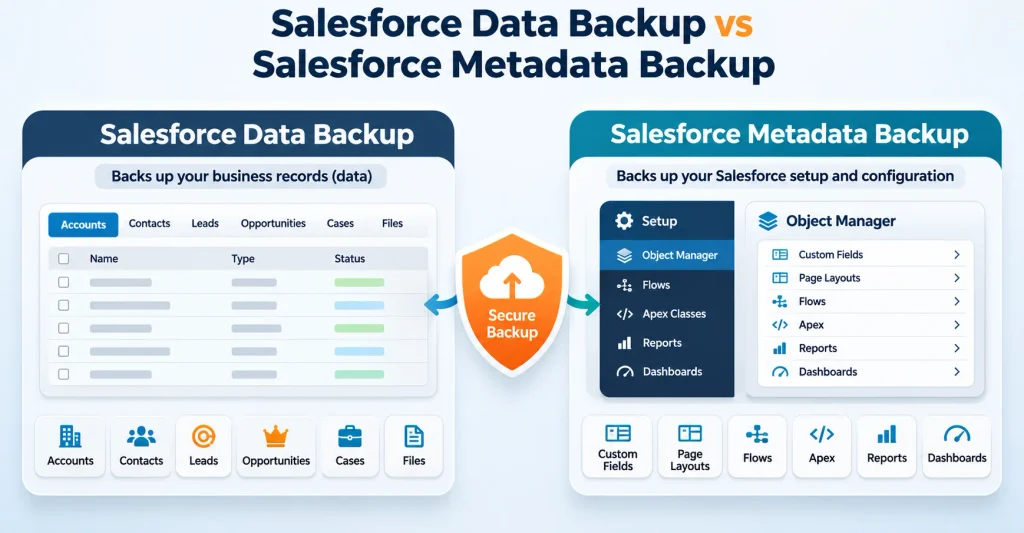
Salesforce Data Backup and Metadata Backup: Key Differences
Data and metadata backups protect different parts of your Salesforce environment. Understanding this difference helps administrators choose the right backup coverage.
| Comparison | Data Backup | Metadata Backup |
|---|---|---|
| What it protects | Business records and information | Salesforce configuration and customization |
| Examples | Accounts, Contacts, Leads, Cases | Fields, layouts, Flows, Apex classes |
| Main purpose | Recover deleted or modified records | Restore configuration and development components |
| Common risks | Accidental deletion and incorrect updates | Configuration changes and faulty deployments |
| Backup requirements | Record and file protection | Metadata version and configuration protection |
For example, if an administrator accidentally deletes thousands of Contact records, a data backup may help restore them. If a deployment changes an important Flow or removes a custom field, metadata protection becomes important.
Before creating a backup plan, review your existing Salesforce fields, layouts, and configuration. Our article on Salesforce metadata cleanup explains why maintaining organized metadata is useful for a healthier Salesforce environment.
Salesforce Backup Options: Native and Third-Party Solutions
Organizations can choose from different backup methods depending on their data volume, recovery requirements, budget, and technical environment.
1. Salesforce Backup & Recover
Salesforce offers Backup & Recover capabilities designed to protect business data and support recovery when information is lost or corrupted.
Depending on the product edition and licensed features, these capabilities can include automated backups, data and metadata protection, backup comparisons, and recovery options.
Administrators can use backup history and comparison features to investigate changes and identify information that needs to be restored. Check the current product documentation and licensing requirements before selecting a plan.
2. Salesforce Data Export Service
Data Export Service allows administrators to export Salesforce data manually or on a schedule.
It can be useful for maintaining CSV-based copies of business records. However, exporting records is not the same as having a complete recovery solution. Restoring records and their relationships may require additional steps.
3. Salesforce Data Loader
Data Loader supports exporting Salesforce records into files. These exports can be useful for specific backup tasks and data recovery operations.
However, administrators must manage the export process, storage, file organization, and restoration carefully.
4. Third-Party Salesforce Backup Tools
Some organizations use third-party platforms when they need additional backup management, recovery features, or protection across multiple business systems.
Examples include:
| Tool | General Purpose |
|---|---|
| Own | Salesforce data protection and recovery |
| Gearset | Salesforce DevOps, metadata management, and backup |
| Flosum | Salesforce DevOps and data protection |
| Veeam | Backup and recovery with storage flexibility |
| Odaseva | Enterprise data management, protection, and compliance |
| AvePoint | Cloud data protection and backup |
| Keepit | SaaS backup and recovery |
These are examples, not a ranking or endorsement. Features, supported data types, storage options, and licensing differ between providers. Review each solution’s current documentation and test its recovery process before making a decision.
For more details about Salesforce’s native backup capabilities, refer to the official Salesforce Backup & Recover documentation.
Image 2 — Place after this section
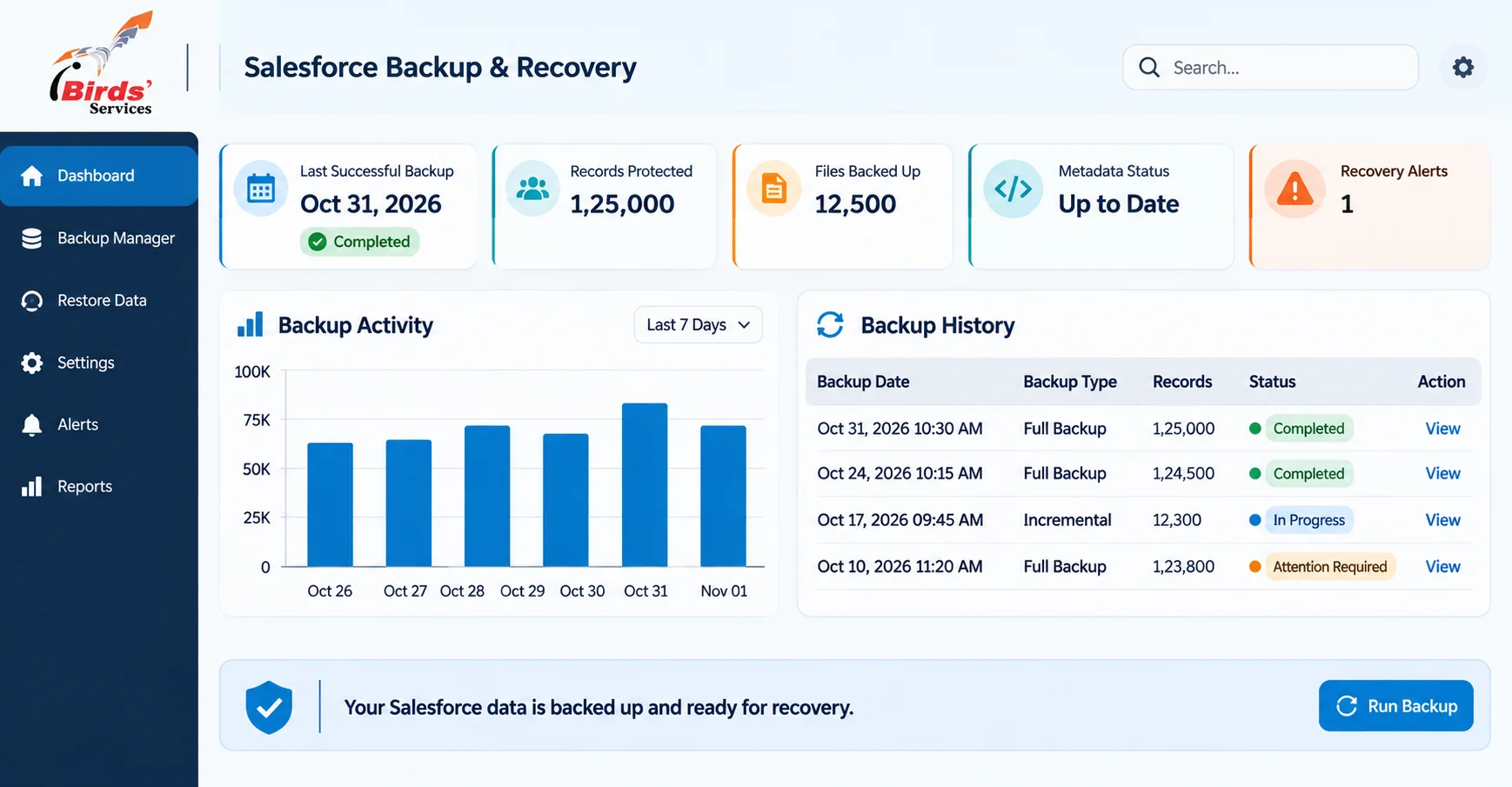
Image heading: Salesforce Backup and Recovery Dashboard
7 Best Practices for Salesforce Data Backup and Recovery
Choosing a backup tool is only one part of protecting your Salesforce environment. A proper strategy also needs regular monitoring, clear responsibilities, and tested recovery procedures.
1. Create a Regular Backup Schedule
Set a backup frequency based on how frequently your Salesforce records change and how much data your business can afford to lose.
For example, an organization with frequently updated sales and service records may need more frequent protection than a smaller organization with limited activity.
Do not rely only on occasional manual exports for important business data.
2. Back Up Both Data and Metadata
Protecting customer records alone is not enough. Your custom fields, page layouts, Flows, Apex code, and other configuration components also need suitable protection.
Review which objects and metadata components are included in your backup process.
3. Store Backup Copies Securely
Keep backup copies protected from unauthorized access and accidental modification.
Review access permissions, encryption, retention settings, and storage locations. Where appropriate, consider maintaining an independently controlled backup copy outside the production Salesforce environment.
4. Take a Backup Before Major Changes
Before performing bulk updates, data migrations, integrations, or major deployments, create a suitable point-in-time backup.
This gives administrators a recovery reference if the operation produces unexpected results.
Our guide to Salesforce data migration can also help teams understand why preparation and validation matter when moving business records.
5. Monitor Backup Status and Errors
A scheduled backup is useful only when it completes successfully.
Review backup history, failed jobs, missing objects, permission issues, and storage alerts. Assign someone to investigate warnings rather than assuming that every scheduled backup has completed correctly.
6. Test Your Recovery Process
Do not wait for a real data-loss incident to discover that your backup cannot be restored as expected.
Perform controlled recovery tests in a suitable sandbox or test environment. Verify restored records, field values, files, and relationships.
7. Create a Clear Recovery Plan
Document who is responsible for recovery, which data is most important, and how the team should respond to an incident.
Define the acceptable recovery point and recovery time for critical business processes. Also, identify the steps for communicating issues to users and approving restoration activities.
Salesforce Backup and Recovery Checklist
Use this checklist to review your organization’s backup readiness.
| Checkpoint | What to Review |
|---|---|
| Backup schedule | Are backups running at suitable intervals? |
| Data coverage | Are important standard and custom objects included? |
| Metadata coverage | Are fields, layouts, Flows, and other components protected? |
| File protection | Are important files and attachments included? |
| Storage security | Are backups stored securely with controlled access? |
| Backup monitoring | Are failed jobs and alerts reviewed? |
| Recovery testing | Has the team tested restoring records and relationships? |
| Retention policy | Are backup retention periods clearly defined? |
| Responsibilities | Does the team know who manages backup and recovery? |
| Recovery plan | Are recovery steps documented and reviewed? |
Frequently Asked Questions
1. Does Salesforce automatically back up all my data?
Do not assume that every Salesforce organization has a complete backup and recovery solution enabled by default. Salesforce offers backup-related products and export options, but organizations should review their edition, licenses, configuration, and backup coverage.
2. What is the difference between Salesforce data backup and metadata backup?
Data backup protects business records such as Accounts, Contacts, Leads, and Opportunities. Metadata backup protects Salesforce configuration, including custom fields, page layouts, Flows, Apex code, and reports.
3. How often should Salesforce data be backed up?
The required frequency depends on how frequently records change and the business impact of losing recent updates. Organizations should define backup intervals based on their recovery requirements and monitor whether scheduled backups complete successfully.
4. Can deleted Salesforce records be recovered?
Deleted records may be recoverable through available Salesforce recovery options, such as the Recycle Bin or a suitable backup, depending on the situation and retention period. A backup solution can provide additional recovery options when records are no longer available through standard methods.
5. Is Salesforce Data Loader enough for backup?
Data Loader can export records and is useful for specific data operations. However, it requires manual management and does not by itself provide a complete automated backup and recovery strategy for all data, files, metadata, and relationships.
6. Why should businesses test Salesforce recovery?
Testing helps confirm that backups contain the required information and that administrators can restore records correctly. It also helps identify missing relationships, permission issues, and recovery problems before an actual incident occurs.
Conclusion
Salesforce data backup and recovery should be an important part of every organization’s CRM management strategy. Accidental deletion, incorrect bulk updates, integration problems, and configuration changes can all affect important business information.
A reliable approach includes regular backups, protection for both data and metadata, secure storage, backup monitoring, and recovery testing.
Every organization has different requirements, so the right solution depends on its Salesforce environment, data volume, business needs, and recovery goals. For help reviewing your Salesforce environment, planning data protection, or improving your CRM setup, explore iBirds Software Services Salesforce consulting.