

As we step into 2026, businesses using Salesforce are preparing for the upcoming Salesforce Spring ’26 Release, which brings a range of updates, new features, and enforced changes. Salesforce delivers three major releases every year—Spring, Summer, and Winter—and each release introduces enhancements that can impact existing processes, integrations, and system behavior.
If organizations fail to prepare in advance, these updates can disrupt workflows and create unexpected issues. That is why understanding Salesforce release updates and preparing early is critical for maintaining system performance and business continuity.
To ensure smooth implementation and avoid risks, businesses can rely on professional Salesforce consulting services to analyze upcoming changes and prepare their systems effectively.
Preparation
Before implementing any Salesforce release update, it is essential to test changes in a sandbox environment. A sandbox allows teams to simulate updates and evaluate their impact without affecting live users. This step helps identify potential issues in integrations, automation, and custom configurations.
Developers and administrators can use tools like Salesforce CLI (SFDX), Workbench, or metadata analysis tools to identify components that may be affected. These tools help in scanning code, permissions, and API references that could break after the update.
For organizations with complex systems, using Salesforce development services can help ensure that custom code and integrations are tested and optimized properly.
Salesforce may occasionally delay or modify certain updates, so it is important to regularly check official release notes for the latest information. Staying updated helps businesses adapt quickly and avoid last-minute surprises.
To stay ahead of updates and maintain system performance, companies can leverage Salesforce managed services for continuous monitoring and proactive optimization.
Salesforce Spring ’26 Release
When the Spring ’26 release is rolled out, several updates will be enforced that may change existing system behavior. These updates are specifically marked by Salesforce as impactful changes, which means organizations must review and prepare for them in advance.
This guide provides a structured approach to help businesses understand how to prepare their Salesforce org. If your implementation includes custom configurations or third-party integrations, additional steps may be required to ensure compatibility.
For handling such complex implementations, businesses can benefit from Salesforce implementation services to ensure a smooth transition.
If your organization uses managed packages, keep in mind that these packages are not always editable. In such cases, it is important to contact the package provider to verify compatibility with upcoming updates.
Whenever changes are made, they should first be tested in a sandbox environment before being deployed to production. This minimizes risk and ensures that business operations remain uninterrupted.
To manage such deployments effectively, businesses can use Salesforce integration services to maintain seamless connectivity between systems.
When deploying updates in production, it is recommended to schedule changes outside of working hours. This ensures that any issues can be addressed without affecting end users. Proper planning also allows teams to roll back changes if necessary.
Calculate Tax-Only and Product-Only Price Adjustments
What Does This Impact?
This update affects organizations using Order Item Summary objects and adjustment calculations within Salesforce Order Management. Salesforce is modifying how certain adjustments are calculated, which can impact pricing and billing processes.
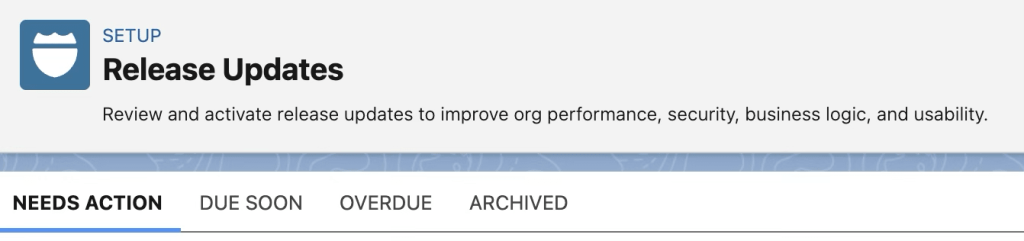
To ensure accurate pricing and smooth operations, businesses can use Salesforce sales cloud services to optimize their order management workflows.
How Can I Prepare in a Sandbox?
Salesforce provides clear steps to test this update in a sandbox environment. Organizations should simulate scenarios such as cancellations, returns, and fee calculations to verify system behavior.
Testing these scenarios helps identify any discrepancies and ensures that dependent processes continue to function correctly.
How Can I Prepare in Production?
After successful sandbox testing, the same steps should be repeated in production during non-working hours. This ensures minimal disruption and provides an opportunity to roll back changes if needed.
Escape the Label Attribute of apex:inputField Elements
What Does This Impact?
This update focuses on improving security in Visualforce pages by preventing cross-site scripting (XSS) attacks. Salesforce will automatically escape label attributes, which may impact pages that already use escaped values.
Organizations using Visualforce should carefully review their code to avoid issues caused by double escaping.
For secure development practices, businesses can rely on Salesforce security services to protect applications from vulnerabilities.
How Can I Prepare in a Sandbox?
Developers should scan Visualforce pages for affected components and test each instance in a sandbox environment. Any issues should be resolved before enabling the update in production.
How Can I Prepare in Production?
Changes should be deployed carefully, and testing should be conducted after enabling the update. If any issues arise, teams should be prepared with a rollback strategy.
Update Instanced URLs in API Traffic
What Does This Impact?
Salesforce is enforcing the use of My Domain URLs instead of instance-based URLs in API calls. This change ensures better stability and scalability in integrations.

Organizations using outdated URLs may face disruptions if they do not update their integrations.
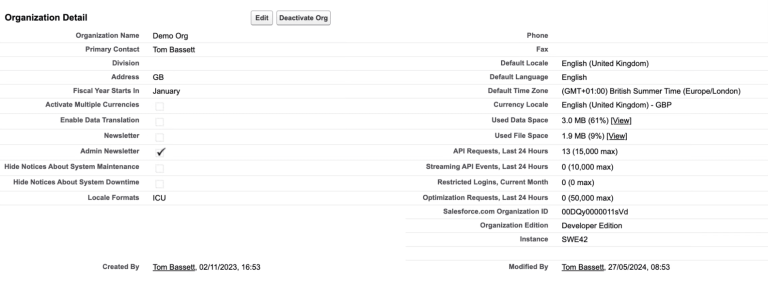
To manage API integrations effectively, businesses can use Salesforce API integration services to ensure smooth data flow.
How Can I Prepare in a Sandbox?
Teams should review all integrations and update them to use My Domain URLs. Testing should be performed to ensure that all API calls function correctly.
How Can I Prepare in Production?
Once validated in a sandbox, changes should be deployed in production with proper monitoring. Having a rollback plan is essential to handle unexpected issues.
Other Changes
Some previously announced updates have been postponed or rescheduled. Organizations should stay informed about these changes to avoid confusion. Salesforce frequently updates its release timelines, so reviewing release notes regularly is important.
For ongoing updates and system maintenance, businesses can benefit from Salesforce support services.
Summary
As Benjamin Franklin famously said, “By failing to prepare, you are preparing to fail.” This statement perfectly applies to Salesforce release updates. Proper preparation ensures that businesses can adapt to changes without disrupting operations.
By understanding updates, testing thoroughly, and implementing changes strategically, organizations can maximize the benefits of Salesforce Spring ’26 Release while minimizing risks.
To achieve this efficiently, partnering with iBirds Software Services for expert Salesforce solutions can help businesses stay ahead of every update.
FAQs
1. What is the Salesforce Spring ’26 Release?
Salesforce Spring ’26 Release is a major platform update that introduces new features, security enhancements, and system changes. These updates are designed to improve performance, user experience, and overall functionality of Salesforce. Businesses need to review these changes carefully to ensure their existing workflows and processes continue to run smoothly.
2. Why is it important to prepare for Salesforce release updates?
Preparing for Salesforce release updates is important because new changes can affect existing configurations, integrations, and custom code. Without proper preparation, businesses may face system errors or workflow disruptions. Testing updates in advance helps ensure a smooth transition and avoids unexpected issues.
3. What is a sandbox in Salesforce?
A sandbox in Salesforce is a separate testing environment where developers and administrators can safely test changes, updates, and new features without affecting the live system. It allows teams to identify and fix issues before deploying changes to production, ensuring minimal risk.
4. What are the key changes in Spring ’26 Release?
The Spring ’26 Release includes updates related to pricing adjustments, security improvements in Visualforce pages, and changes in API integrations such as using My Domain URLs. These updates aim to enhance system security, accuracy, and performance.
5. How can I avoid issues during the release update?
To avoid issues, businesses should test all updates in a sandbox environment, review integrations and custom code, and deploy changes during non-working hours. Having a rollback plan is also important in case something goes wrong during the update process.
6. Do Salesforce updates affect custom code?
Yes, Salesforce updates can impact custom code, especially if it relies on older methods or configurations. Developers should review and test all custom components to ensure compatibility with the new release.
7. What tools can help with Salesforce updates?
Tools like Salesforce CLI (SFDX), Workbench, and metadata analysis tools can help identify impacted components and test changes. These tools make it easier to manage updates and ensure system stability.
8. Can Salesforce delay release updates?
Yes, Salesforce can sometimes delay, modify, or even cancel certain updates based on feedback or technical considerations. That’s why it is important to regularly check official release notes for the latest information.
9. How often does Salesforce release updates?
Salesforce releases major updates three times a year—Spring, Summer, and Winter. Each release brings new features, improvements, and changes that businesses need to review and implement carefully.
10. Should I take expert help for Salesforce updates?
Taking expert help is highly recommended, especially for businesses with complex systems. Salesforce experts can help analyze changes, test updates, and ensure a smooth implementation without disrupting business operations.